

Choosing the Right Anilox Roll Volume for Solid and Line Work on CI Flexo Presses
You’re running a job on your central impression (CI) flexo press. The artwork has a large solid background—deep, rich, the kind of coverage that makes the brand pop. But right next to that solid, there’s fine line text—small type, delicate curves, the kind of detail that needs crisp edges to stay readable. Your current anilox roll gives you beautiful solids but blows the lines into fuzzy blobs. Or it gives you razor‑sharp lines but leaves the solids looking washed out and inconsistent.
This is the classic flexo trade‑off. And it’s why anilox roll selection is arguably the most critical spec on a flexo printing machine—especially on a CI press, where material stability and multi‑color registration give you the precision to print complex work, but only if the ink delivery is right. This guide walks you through the practical decisions: what BCM actually means, how line count and volume work against each other, where to find the “middle ground” for mixed‑content jobs, and what you can adjust after the roll is already on the press.
Decoding anilox specifications — BCM and line screen together
Before you can choose the right anilox, you need to read the spec sheet correctly. Two numbers matter: line screen (LPI or lines per inch) and cell volume (BCM). They are inversely related—you cannot have both high line count and high volume on the same roll.
What BCM actually means for your ink film
BCM stands for billion cubic microns per square inch. It‘s a measure of how much ink the anilox roll can carry and deliver to the printing plate per unit area. A higher BCM number means more ink on the plate. A lower BCM means a thinner ink film.
Why does this matter for solids vs. lines? Dense solid coverage needs a high volume—typically 6.0–12.0 BCM or more for flexible films and paper. That thick ink layer gives you the opacity and color depth that makes a solid background look professional. Fine line work and halftones, by contrast, need a low volume—often 1.0–2.0 BCM—to maintain dot integrity and keep edges crisp. Too much ink, and fine features fill in. Ink bridges across the detail, turning delicate serifs into blobs. Dot gain becomes uncontrollable, and the mid‑tones plug.
For heavy solids or opaque whites, some applications call for 12–20+ BCM. For fine process or color work, you’ll move to higher line screens (higher LPI) with lower volumes. There‘s no single “right” BCM for everything.
The inverse relationship between volume and line count
Line screen (LPI) tells you how many cells exist per linear inch on the anilox roll. Higher line counts mean more, smaller cells per square inch. More cells means less volume per cell—there‘s only so much physical space to engrave.
This relationship is fixed by physics. A 200 LPI roll can carry roughly 8.0–9.5 BCM. A 400 LPI roll typically carries around 4.0–5.0 BCM. A 700–900 LPI roll for fine process printing may carry only 1.0–2.0 BCM.
If you try to specify a high‑line‑count roll with high volume, the cell walls would become so thin they’d collapse. If you try to specify a low‑line‑count roll with very low volume, you‘re essentially engraving shallow dimples—inefficient ink transfer that defeats the purpose of having an anilox.
This means you cannot optimize for both extremes on a single roll. You have to decide: which aspect of the job matters most? Or, if the job requires both, you have to find a compromise range that doesn’t ruin either.
Below is a reference table for typical BCM ranges by print application:
| Print Application | Line Screen (LPI) | Typical BCM Range | Ink Demand |
|---|---|---|---|
| Heavy solids, opaque whites | 200–300 | 8.0–12.0+ | Very high |
| General solids (films/paper) | 200–400 | 6.0–12.0 | High |
| Line work + solids (compromise) | 450–600 | 3.0–5.5 | Medium |
| Fine line work | 500–800 | 1.5–3.0 | Low |
| Process / halftone printing | 700–1,200 | 1.0–2.0 | Very low |
| Coating / varnish | 100–300 | 6.0–12.0 | High |
The compromise for combined line and solid jobs
Now we get to the hard question: what do you do when a single print run needs both a dense solid and a fine line? You don‘t have two anilox rolls. You have one.
Finding the “middle ground” range
For many CI flexo printers running mixed‑content packaging—food wrappers with bold brand logos plus small ingredient type, retail bags with large graphics plus fine regulatory text—the compromise anilox falls in the 450–600 LPI range, with a volume of roughly 3.0–5.5 BCM.
At 500 LPI / 4.0 BCM, the solid coverage will be adequate but not spectacular. You may see a lower solid ink density (SID) than you would with a 300 LPI / 8.0 BCM roll. The solids will be there, but they might lack the deep, saturated punch that makes a premium brand stand out.
The fine lines will be acceptable but not razor‑sharp. You‘ll likely see some dot gain in mid‑tones, and very fine positive type (e.g., 4‑point sans serif) may show slight edge fuzziness. Some loss of halftone dot integrity is expected in the middle ground.
The key question isn’t “is this perfect?” It‘s “is this good enough for the customer?” For many price‑sensitive packaging applications, the 450–600 LPI range is the practical choice.
Using process tapes to evaluate the compromise
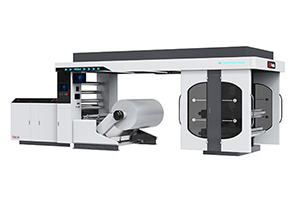
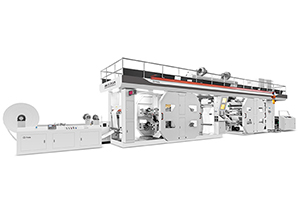
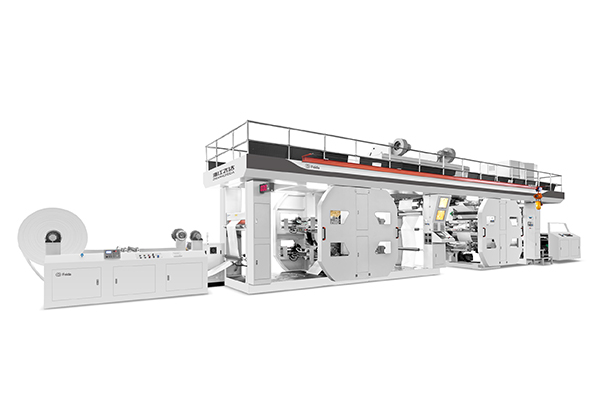
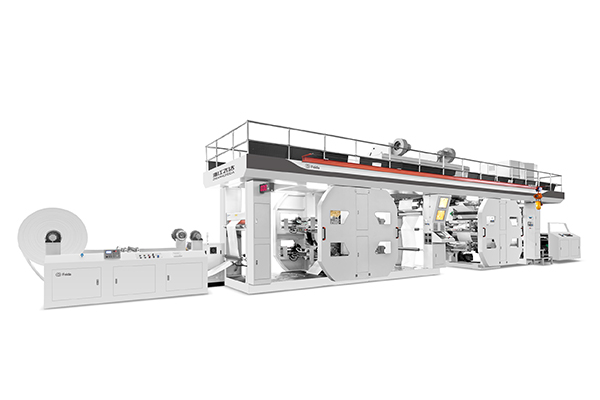
Before you commit to a roll specification for a full production run, run a test using a step‑wedge or process control tape. On a CI flexo printing machine with stable web tension and precise registration (like Feida‘s CI series, where material is clamped by the central printing cylinder for consistent positioning), a controlled test will tell you more than any chart.
Print a target that includes:
-
A large solid patch at the same ink density target
-
Reverse type at multiple point sizes
-
Positive type at multiple point sizes
-
A halftone step wedge from 1% to 100%
Evaluate under a loupe or microscope. Measure solid ink density with a densitometer. Check for filling‑in on reverse type. Count dot gain in the mid‑tones. If the 50% dot has grown to 65%, your roll is either too high volume or your impression pressure is too high. If the 2% dots are completely missing, your roll is too low volume or your plate is under‑inked.
The data from this test gives you a specific BCM target. You may find that 4.2 BCM is too heavy for your fine type but 3.5 BCM is perfect. That 0.7 BCM difference could be the line between a job that passes and a job that gets rejected.
Advanced strategies without changing the roll
Once a roll is engraved and mounted, you can‘t change its BCM. But you can adjust other variables to shift how that ink volume behaves on the substrate.
Ink viscosity adjustment — the most powerful free adjustment
Lowering the ink viscosity allows the same volume of ink to spread more evenly across the solid area, improving coverage without increasing the actual amount of ink delivered. For a marginal solid where the coverage looks “thin,” reducing viscosity by 5–10% (adding a measured amount of thinner or solvent) can make a noticeable difference. A high‑viscosity ink sits on the plate surface in a thick glob; a lower‑viscosity ink flows out more smoothly, leveling the solid area. If most of your work is solid coverage and large font, decreasing volume from 8.0 BCM to 6.5 BCM reduces ink consumption by 19%. Despite conventional thinking, solid coverage may improve while increasing print capability of that print station to finer type and coarse screen work.
There‘s a limit. Too much viscosity reduction leads to ink misting (small droplets spraying off the rotating anilox) and dot gain in fine features.
Impression pressure — micro‑adjustments matter
The pressure between the plate cylinder and the substrate determines how much of the ink film actually transfers. Higher impression pressure forces more ink into the substrate, which can help solids but will squash fine dots and close up small reverse type. Lower impression pressure preserves line definition but may leave solids looking mottled or incomplete.
For a compromise roll in the 450–600 LPI range, start with minimal impression pressure—just enough to make contact. Then increase pressure in very small increments (0.05–0.1 mm on the dial) until the solid reaches acceptable density, while watching the fine type through a loupe. Stop at the point where the fine type is still open. Sometimes the difference between a failed job and a passing job is a quarter‑turn of a pressure adjustment knob.
Flat‑top dot plate technology
Conventional flexo plates produce “rounded” or “capped” dots—the top of the dot is smaller than the base. When you increase impression pressure, the dot flattens and enlarges (dot gain). Flat‑top dot plates, created through technologies like inline exposure or multi‑exposure systems, produce dots that are uniform from base to top. They are more resistant to pressure‑induced gain, which means you can run higher impression pressure to improve solids without blowing out your fine lines as severely.
A well‑executed flat‑top dot plate can extend the usable range of a middle‑ground anilox roll by 5–10% in both directions—better solids, better line work, from the same engraved roll. Discuss plate specifications with your plate supplier before committing to a challenging job.
Frequently asked questions on anilox selection
Q: Can I use two different anilox rolls on the same CI flexo press job?
A: Not for different elements within the same color station. Each print station has only one anilox roll. However, a common strategy for high‑difficulty jobs is to split the work across multiple color stations. For example, print the large solid background using Station 1 with a high‑volume roll (8.0+ BCM). Then use Station 2 with a low‑volume roll (2.0–3.0 BCM) to print the fine line work and text. The substrate passes through both stations, but each element gets the ink delivery it needs. The trade‑offs are longer setup time, higher plate cost, and potential registration issues. This approach is rare for standard packaging but appears in high‑value specialty work.
Q: How do I know if my anilox roll is worn out?
A: Anilox rolls don‘t last forever. The ceramic coating can wear, cells can clog with dried ink, or cell walls can break down from doctor blade friction. Three signs: first, you’ve had to increase ink viscosity or slow down the press to maintain density—both compensate for reduced ink transfer. Second, you see “missing dot” patterns in halftones, where random small dots don’t print because some cells are no longer carrying ink. Third, you see mottle or uneven coverage in solids, indicating that the ink film is no longer uniform across the roll width. If your roll has run for several million linear meters without re‑engraving, it‘s likely due for replacement.
Q: Does the substrate material affect anilox selection?
A: Dramatically. A non‑porous substrate like film (BOPP, PET, PE) does not absorb ink; the ink sits on the surface and must level out before drying. You generally need a lower volume anilox on film to prevent excessive ink laydown that never dries fully. A porous substrate like uncoated paper absorbs ink into its fibers, which means you may need a higher volume roll to achieve the same apparent density. When switching between radically different substrates—e.g., from a paper bag to a shrink sleeve—your anilox volume target may shift by 30–50%. Always run a new test when changing substrate families.
Test before you commit
The single best piece of advice for any flexo printing machine operator or process engineer: test before you commit to production.
Do not trust theoretical charts alone. Do not assume that a roll that worked for your competitor will work for you. Anilox engraving machines have slight variations. Your ink formulation, plate thickness, mounting tape density, and substrate all influence how a given BCM translates into printed result.
Before you engrave a full set of rolls for a new long‑run job, request a sample roll engraving or use an existing roll with similar specs. Run the job‘s test target on your actual CI press—with your actual inks, plates, and substrate. Measure the results. Adjust the spec by ±0.5 BCM if needed, then commit to the full set.
For Feida’s CI series—with its central impression drum that ensures stable material positioning and supports 1 to 10 colors in a single pass—a thorough pre‑production test is not an expensive luxury. It’s the difference between a smooth, profitable production run and a week of troubleshooting inconsistent solids and fuzzy type.
Need help selecting the right anilox volume for your next CI flexo job? Contact Feida Machinery with your artwork type (percentage solid coverage, minimum line weight), substrate material, and target press speed. Their technical team can recommend a starting anilox spec and provide sample roll testing before you commit to large‑volume engraving.